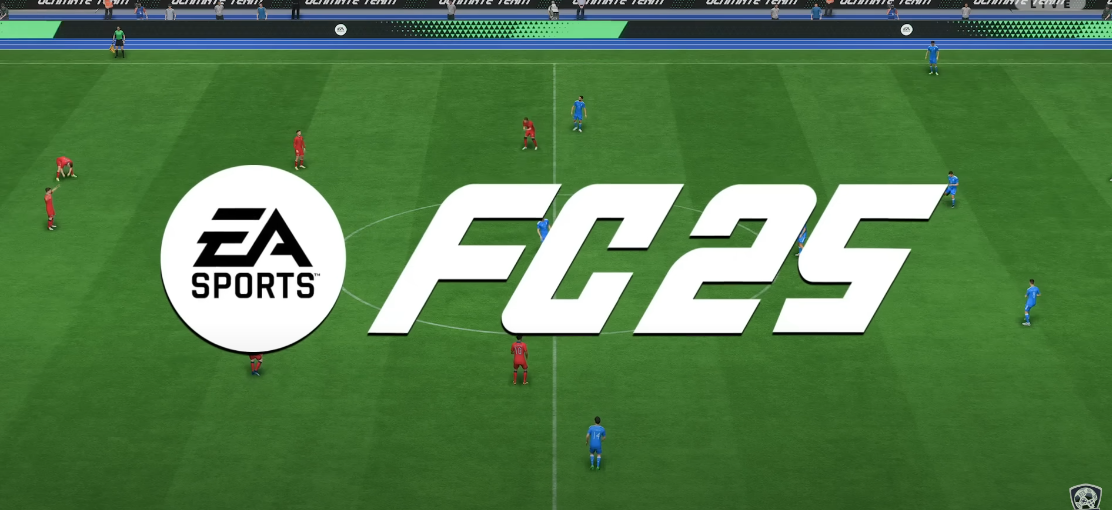
When it comes to playing EA FC 25, optimizing your camera settings is crucial to getting the most immersive and fluid gameplay experience. The camera settings in EA FC 25 not only determine how you view the action on the pitch but also influence your gameplay style, control, and overall enjoyment. Whether you’re playing on PC, PlayStation, Xbox, or any other platform, understanding the best camera settings can give you a significant edge in both casual and competitive matches.
In this article, we’ll dive into the best camera settings for FC 25 Coins, offering insights into how different adjustments can improve your gameplay. We’ll also provide detailed explanations about each setting and why they matter for players of all skill levels. Let’s take a closer look at these settings and how you can optimize them.
Why Camera Settings Matter in EA FC 25
In football video games like EA FC 25, the camera acts as the player’s eyes on the field. If the camera isn’t set up properly, it can hinder your ability to read the game, anticipate passes, or react quickly to opponents. Good camera settings ensure that you have a clear and wide view of the pitch, giving you more time to make decisions and execute plays effectively.
Your choice of camera also affects your positional awareness, ball control, and tactical understanding of the match. The right settings can improve the pace at which you read the game, which can ultimately result in better performance and more victories.
1. Camera Angle: Tele Broadcast vs. Dynamic
The most important setting to consider when customizing your camera is the Camera Angle. EA FC 25 offers several preset camera angles, each with its strengths and weaknesses. Among the most popular options are Tele Broadcast and Dynamic, but which one is right for you?
Tele Broadcast: This is the most commonly used camera angle in EA FC 25. It provides a stable and slightly elevated view of the pitch, which allows you to see most of the field while tracking the ball easily. The angle is typically set at a medium distance from the action, ensuring that players have a wide field of view but are still able to focus on the ball and nearby players.
Pros:
Stable view, allowing for better situational awareness.
Ideal for understanding team shape and positioning.
Clear visuals on both attacking and defending positions.
Cons:
May not feel as immersive as more dynamic camera angles.
Could make it difficult to track fast players or ball movement up close.
Best For: Most players, especially beginners and intermediate players, find the Tele Broadcast setting to be the most balanced for viewing the pitch.
Dynamic: The Dynamic camera angle constantly adjusts based on the movement of the ball, ensuring a more fluid and immersive experience. While this offers a more cinematic feel, it can make it harder to judge the overall field dynamics, especially if you’re trying to track multiple players at once.
Pros:
Great for immersing yourself in the game.
Offers cinematic camera movement that tracks the ball closely.
Provides a more “real-world” broadcast feel.
Cons:
Can be distracting, especially when the camera zooms in on players or changes too quickly.
The constantly shifting perspective can make it difficult to judge your position on the pitch.
Best For: Advanced players or those who prioritize immersion and enjoy cinematic camera views, even if it means sacrificing field awareness slightly.
2. Field of View (FOV)
The Field of View (FOV) setting determines how much of the pitch is visible at once. A wider FOV provides a more comprehensive look at the field, allowing you to keep track of more players and potential plays. A narrower FOV zooms in closer to the action, offering a more focused perspective of the ball and immediate surroundings.
Wider FOV (60-75): A broader field of view gives you more context of the pitch, allowing you to make better tactical decisions. For instance, you can see where your teammates and opponents are positioned, which helps with defensive and offensive plays.
Best For: Players who want better situational awareness and to keep track of more players. It is also great for defensive players who need to read the opposition’s build-up play.
Narrower FOV (50-60): A narrower FOV zooms in closer to the player and the ball, making the visuals feel more intense. This can help you focus more on the immediate action, such as dribbling and passing. However, it sacrifices your ability to keep an eye on the wider game.
Best For: Players who prefer a more intense, player-focused experience. This is ideal for those who play as attacking players, as they can focus on their movement and the ball more closely.
3. Camera Height and Zoom
Two other critical settings are Camera Height and Zoom. These determine how high the camera sits above the field and how close or far away it is from the player, respectively.
Camera Height: Setting the camera height determines how high or low your perspective is. The higher the camera, the more of the field you can see. A lower camera height gives you a more player-centric view, which can feel more intense but less strategic.
Best For:
Higher Camera Height (10-20): Helps with overall pitch awareness, giving you a better view of the game. It is ideal for players who want to read the game’s flow and positioning.
Lower Camera Height (0-10): Provides a closer look at the player, perfect for those who want to focus more on close control, dribbling, and tight gameplay.
Zoom: The zoom setting controls how far or close the camera is from the action. A wider zoom setting provides a better view of the entire field, while a narrower zoom gives you a more personal, up-close view of the ball and player.
Best For:
Wider Zoom (50-70): Great for those who want to see more of the field and better understand player positioning.
Narrow Zoom (30-50): Ideal for focusing on specific players, especially if you are an attacking player who likes to control the ball closely.
4. Customizing Your Camera Settings
The beauty of EA FC 25 lies in its customizability. The game allows players to tweak a variety of additional settings to fine-tune their experience further.
Player Indicator: This option determines whether or not you can see the indicator showing which player you are controlling. In many cases, this setting is left on, as it makes switching between players easier during a match.
Auto Positioning: EA FC 25 also lets you adjust whether the camera automatically moves to keep your player in the center of the screen or not. Turning off auto-positioning can help with maintaining your awareness of the entire pitch but might require more manual adjustment during play.
Camera Shake: Some players like to experience a more immersive game with camera shake, which simulates the shaking of the camera during high-impact moments, such as tackles or celebrations. This setting is entirely optional and doesn’t affect gameplay performance, so it’s really up to personal preference.
5. Tips for Fine-Tuning Your Camera Settings
While it’s useful to follow general guidelines when setting up your camera, the key to success in EA FC 25 is finding a configuration that feels natural to you. Here are some additional tips:
Start with Default Settings: Many players overlook the power of the default camera settings. EA FC 25 has optimized camera settings for a reason, so consider starting with them and gradually adjusting from there.
Adjust Based on Game Mode: Camera settings that work well for attacking in Career Mode may not be ideal for playing competitive FUT (FIFA Ultimate Team). Take some time to tweak your settings based on the mode you’re playing to optimize your experience.
Test in Different Conditions: Try your settings in various game situations: fast breaks, set-pieces, defense, and possession. You may find that some settings work better for one type of play than another.
Conclusion: The Best Camera Settings for EA FC 25
Ultimately, there is no one-size-fits-all answer when it comes to camera settings in cheap EA FC 25 Coins. The best camera setup for you depends on your playstyle, preferences, and level of experience. However, some general recommendations include:
Camera Angle: Try Tele Broadcast for balanced field visibility, or Dynamic for cinematic flair if you’re willing to sacrifice situational awareness.
Field of View: Choose a wider FOV (60-75) for more tactical awareness, or a narrower FOV (50-60) for more player-centric focus.
Camera Height and Zoom: A higher camera height (10-20) with a wider zoom (50-70) generally gives a great view of the field.
By experimenting with these settings, you’ll find a configuration that suits your playing style, whether you’re a seasoned pro or just starting out in EA FC 25. Remember, great gameplay is about more than just settings—it’s about how you adapt to the flow of the game and make the most of your virtual pitch vision!